Introduction: The Problem Nobody Talks About
Every team, business, or freelancer has faced one universal pain: chaotic meetings and confusing notes. After a long discussion, people end up asking the same questions again —
“What did we decide?”
“Who’s responsible for what?”
“Where’s the summary of this meeting?”

For project managers, teachers, entrepreneurs, or researchers — this problem eats away at time and productivity. But a new wave of AI tools is quietly changing that. One such underrated gem is the AI Flowchart and Meeting Summary Generator — an intelligent assistant that turns plain text or meeting notes into clear, visual flowcharts and summaries in seconds.
Let’s dive into how this kind of AI tool (like PicDoc, Docugram, or MyLens AI) is revolutionizing everyday work without getting the hype it truly deserves.
1. What Exactly Is an AI Flowchart Generator from Text?
Imagine you type this:
“Start marketing campaign → gather leads → qualify leads → follow up → close deal.”
Within seconds, the AI generates a perfectly designed flowchart showing each step in boxes, connected with arrows — ready to use in a presentation or report. That’s the power of AI Flowchart Generator from Text tools.
Instead of spending 20–30 minutes manually designing diagrams on PowerPoint or Canva, you can now describe your process in simple words, and AI does the rest.
Most of these tools also include:
- Meeting summary generation
- Action-item extraction
- Visual process mapping
- Team collaboration dashboards
In short, they make information easy to understand, share, and act on.
2. Why Are People Searching for These Tools?
Even though these tools aren’t yet household names like ChatGPT or Midjourney, search volume for related keywords is rising fast.
Here are some of the trending search terms:
- “AI flowchart generator from text”
- “Text to flowchart converter”
- “AI tool for meeting summary and action items”
- “Convert meeting notes to diagram”
- “Diagram maker from document”
- “Process diagram generator AI”
These searches reveal one thing clearly — people are tired of doing repetitive, manual documentation work and want smarter automation.
3. How Does It Actually Work?
These AI tools combine Natural Language Processing (NLP) with Generative Design Models.
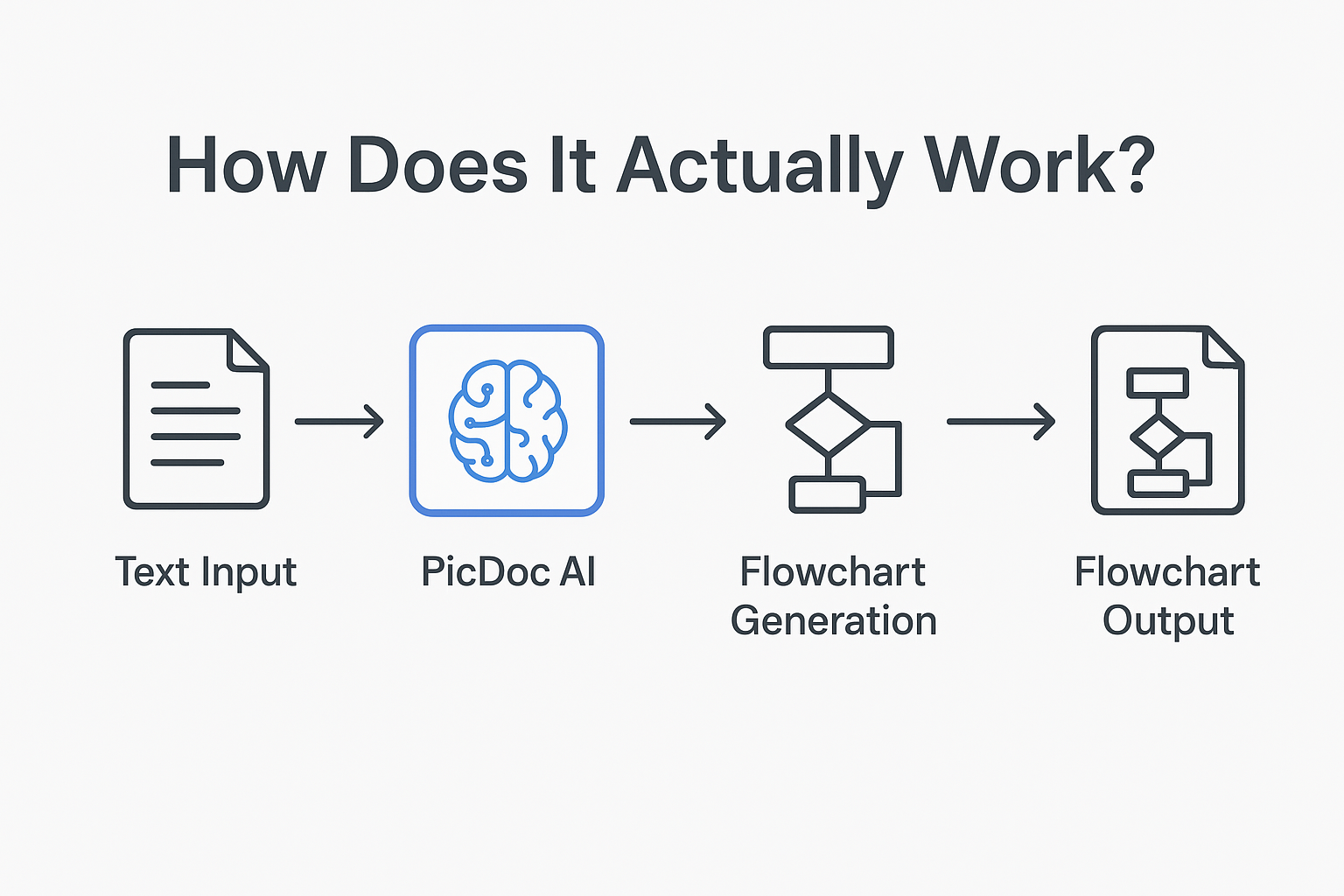
Here’s a simple breakdown:
- You input text — for example, “Plan event → assign roles → promote → execute → feedback.”
- AI analyses structure — it detects steps, sequence, and dependencies.
- Visual design engine creates flow — it generates shapes, arrows, and layouts automatically.
- Customization options — you can edit colors, shapes, text, and export to PNG, SVG, or PDF.
- Optional features — summarize meeting minutes, extract action items, and even integrate with tools like Google Docs or Slack.
The result? You get a professional-looking diagram or summary in less than a minute — without opening PowerPoint or Visio.
4. Real-Life Problems It Solves
Let’s see how this tool helps different people:
For Corporate Professionals
- Converts messy meeting notes into clear flowcharts and decisions.
- Saves time spent creating slides or visual documentation.
- Makes it easy to brief team members or management.
For Startup Founders
- Helps visualize business processes, user journeys, or marketing funnels.
- No need to hire a designer for every presentation.
- Keeps all ideas organized during brainstorming.
For Teachers and Trainers
- Converts lesson plans or training modules into simple diagrams.
- Helps explain complex concepts visually to students.
- Useful for online courses or PowerPoint-based learning.
For Researchers and Analysts
- Transforms interview summaries or research data into concept maps.
- Makes it easier to see patterns and connections.
- Reduces time spent manually designing charts.
For Freelancers and Remote Teams
- Automatically extracts to-dos and next steps from chat transcripts or client calls.
- Improves transparency with clients.
- Keeps project communication organized and clear.
5. Why This Tool Is Still Underrated
Despite its real impact, this type of AI tool hasn’t yet gone viral — and there are a few reasons for that:
- People don’t realize how much time they waste making diagrams manually.
- It’s not as “flashy” as image or video AI tools.
- Most users search for specific results, not “AI diagram tools.”
But that’s exactly why it’s a hidden gem — it’s solving practical, daily problems for professionals who care more about productivity than hype.
6. The Technology Behind It
Let’s simplify the tech side a bit. The AI uses three major layers:
- Language Understanding (NLP): Identifies entities, steps, and relationships in your text.
- Structural Mapping: Arranges these relationships into a logical hierarchy.
- Generative Visualization: Uses templates, alignment algorithms, and color theory to design diagrams automatically.
It’s like combining ChatGPT’s understanding with Canva’s design sense — but fully automated.
7. Advantages Over Traditional Tools
| Feature | Manual Tools (PowerPoint, Canva) | AI Flowchart Generator |
| Time Required | 30–45 minutes | 1–2 minutes |
| Skills Needed | Design + Logical structuring | Just type your text |
| Collaboration | Limited sharing | Real-time collaborative dashboard |
| Output Formats | Basic PNG | PNG, SVG, PDF, or editable export |
| Automation | None | AI automatically suggests structure |
Result: This tool doesn’t just save time — it also makes your communication sharper and your documents look professional instantly.
8. SEO Insight: Why These Keywords Are Growing
Keywords like “AI meeting summary tool” and “text to flowchart converter” are now being searched by:
- Remote teams using Google Meet or Zoom
- Educators building online courses
- Business analysts automating workflows
According to keyword trend reports, searches related to “AI diagram generator” have grown by over 200% in the last year, especially in India, Southeast Asia, and Europe.
That means — if you create content or services around this niche now, you can rank fast before the competition explodes.
9. Example Use-Case: Turning a Meeting into Action
Imagine you just finished a 30-minute meeting. You copy the transcript into the AI tool and get AI output.
Summary:
- Discussed Q4 marketing campaign timeline.
- Finalized target platforms (Instagram, YouTube).
- Assigned lead responsibilities to Riya and Arjun.
Action Items:
- Riya – finalize creative by 28th.
- Arjun – confirm influencer list by 30th.
- Neha – draft campaign budget.
Flowchart Visualization:
Start → Brainstorm → Finalize Channels → Assign Roles → Execute → Review Results
Now, instead of a messy document, your team has a ready-to-share diagram and a clear action plan— all generated automatically.
10. Future Potential: Beyond Meetings and Flowcharts
This technology is growing fast. Soon, these tools will:
- Convert audio conversations into process charts.
- Integrate with project management tools like Asana, Trello, and Notion.
- Support multi-language input (including Hindi and regional Indian languages).
- Offer AI-generated reports combining text + visuals seamlessly.
In short — it’s just the beginning. As productivity AI tools evolve, these small helpers will become as common as spreadsheets once were.
11. Is It Safe and Reliable?
Most modern AI diagram tools use secure cloud infrastructure and encryption protocols similar to Google Workspace. User data (like meeting notes or documents) is processed temporarily and deleted automatically after generation. Still, it’s best to check the privacy policy of each tool — especially if your data is confidential.
12. Top Alternatives You Can Explore
Here are a few tools currently offering similar functionality:
- PicDoc.ai – Meeting summary + flowchart generator
- Docugram.app – Text to flowchart + diagram maker
- Visily.ai – AI diagram generator for product teams
- MyLens.ai – Converts Word or PDF documents into diagrams
- Fireflies.ai – Meeting summary and action item extractor
Each has unique features, but they all share one goal: turning plain text into smart visuals.
13. Final Thoughts: A Tool That Makes Work Feel Lighter
In today’s fast-paced world, clarity is the new productivity. You can have the best ideas, but if your team doesn’t visualize or track them clearly, they fade away.
That’s why tools like the AI Flowchart Generator from Text deserve more attention. They don’t just make diagrams — they save time, reduce confusion, and make communication visual and efficient.
As AI continues to evolve, such niche tools will quietly become the backbone of modern workplaces. If you’ve ever wasted time drawing flowcharts or summarizing meetings manually — this might be the smartest upgrade you can try this year.