
Creating a website today is easier than ever. In just a few minutes, anyone can install a theme, publish a page, and call it a website. But building a premium website is a completely different process. A premium site is not defined by flashy animations or expensive themes. It is defined by clarity, speed, structure, usability, branding, and long-term scalability.
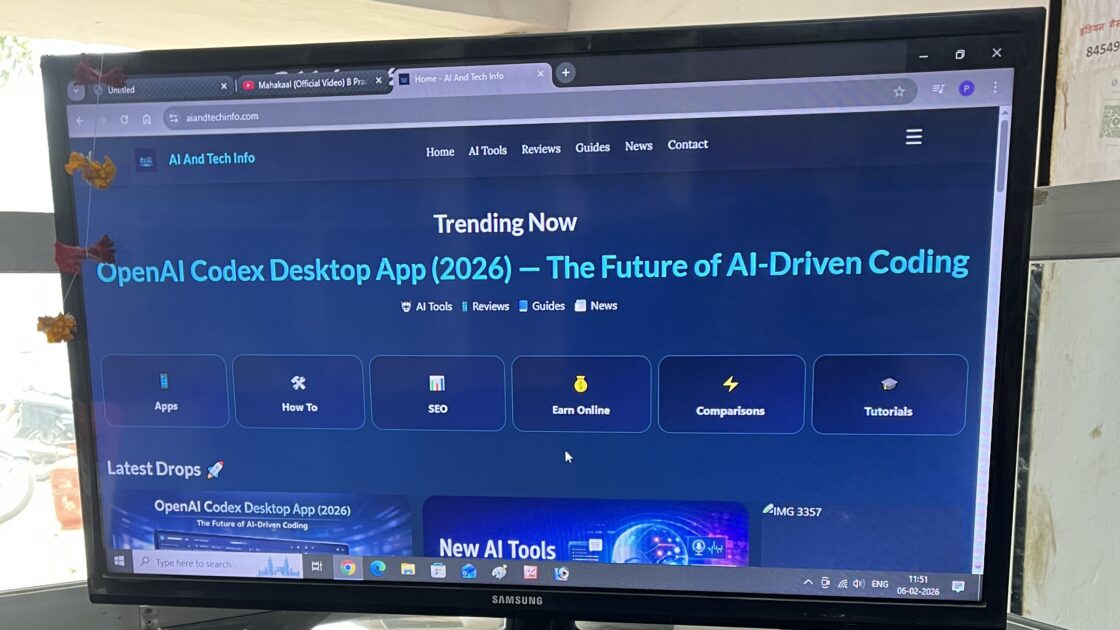
If you truly want to build a site that feels professional, earns trust, ranks on search engines, and grows over time, then you need the right foundation and strategy. One of the most powerful platforms to achieve this is WordPress. It offers flexibility, control, and scalability that very few systems can match.
In this complete guide, you will learn how to build a premium website step-by-step — not just technically, but strategically.
1. Start With the Right Foundation: Domain and Hosting
A premium website begins before design even starts. It begins with your domain and hosting. Your domain name is your digital identity. It should be short, easy to remember, and brandable. Many beginners make the mistake of choosing complicated names stuffed with keywords. While keywords are important, brand value matters more in the long run. Choose something that sounds professional and can grow with your vision.
Once your domain is finalized, hosting becomes the backbone of your website. Hosting directly impacts speed, uptime, and user experience. A slow website immediately reduces trust and increases bounce rate. That is why serious website owners invest in reliable hosting from the beginning. These are so popular and trusted hosting providers:
- Hostinger
- GoDaddy
- Bluehost
- SiteGround
- Namecheap
With my personal experience I can say Hostinger is the strong hosting provider and almost 90% sites made with Hostinger.
Why Hostinger Is a Strong Hosting Provider and How It Stands Out
When choosing a hosting provider for a premium website, the decision should never be based only on price. Performance, reliability, ease of use, scalability, and long-term sustainability all matter.

One hosting company that is frequently recommended for beginners and growing websites is Hostinger. But the real question is — why is Hostinger considered a strong option? Let’s break this down properly.
Strong Performance and Speed Optimization
Website speed directly impacts user experience and SEO rankings. A slow website increases bounce rate and reduces trust instantly. Hostinger is known for offering solid performance because many of its plans use LiteSpeed web servers instead of traditional Apache servers. This server-level optimization helps in:
- Improved handling of traffic spikes
- Faster page loading times
- Better server response speed
For WordPress-based websites, LiteSpeed integration combined with proper caching can noticeably improve Core Web Vitals. This is especially important for bloggers, affiliate marketers, and content publishers who depend heavily on organic traffic. Speed is not just a technical metric — it directly influences user retention and revenue.
Affordable Pricing Without Sacrificing Core Features
One of the main reasons Hostinger gained popularity is its pricing structure. Many hosting providers either offer cheap plans with limited resources or premium plans that are too expensive for beginners. Hostinger manages to provide competitive pricing while still including essential features. Even entry-level plans often include:
- Free SSL certificate
- SSD storage
- One-click WordPress installation
- Email hosting
- Backup options (depending on plan)
For someone launching their first premium website, this balance between affordability and functionality makes a significant difference. It allows you to invest more in design, content, or marketing instead of overspending on infrastructure early on.
Beginner-Friendly Control Panel (hPanel)
Technical complexity is one of the biggest barriers for beginners. Instead of using the traditional cPanel interface, Hostinger provides its own custom dashboard called hPanel.
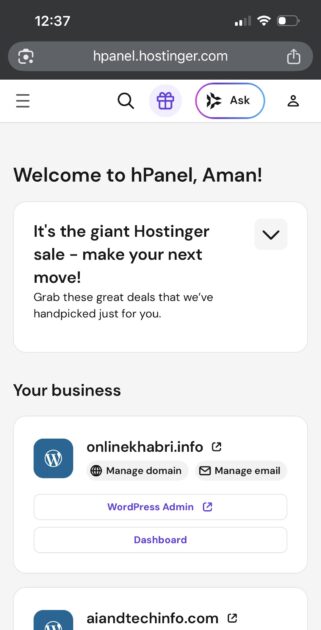
The interface is designed to be these purposes:
- Clean and visually simple
- Easy to navigate
- Organized for domain, email, and website management
For users who are not highly technical, this reduces confusion and speeds up the setup process. Managing backups, installing WordPress, creating email accounts, and monitoring performance becomes much more straightforward.
Ease of use may not sound like a “premium” feature, but in reality, it significantly improves long-term site management.
Reliable Uptime and Stability
A premium website cannot afford frequent downtime. If your website goes offline regularly, it damages SEO rankings, user trust, and revenue potential.
Hostinger promotes a strong uptime guarantee, generally around 99.9%. In practical use, many small and medium website owners report stable performance. Consistent uptime ensures:
- Better search engine crawling
- Improved user trust
- No unexpected revenue loss
Reliability is one of the core foundations of a professional website.
Global Data Centers for Better Performance
Another important factor is server location. Hostinger offers multiple data center locations across different regions worldwide. This allows website owners to choose a server location closer to their target audience. Choosing a nearby data center helps with:
- Improved user experience
- Reduced latency
- Faster loading speed
For example, if your audience is primarily based in India, selecting a nearby server location can significantly improve performance metrics.
Optimized Environment for WordPress
Hostinger also provides hosting plans that are specifically optimized for WordPress websites. This includes streamlined installation, automatic updates, and pre-configured performance settings. For content-driven websites, this means:
- Better compatibility with popular plugins
- Faster setup time
- Less technical configuration
This optimization reduces the learning curve for beginners and saves time for experienced users.
Easy Scalability as Traffic Grows
Many beginners worry about what happens when their traffic increases. Migrating to another hosting provider can be complicated and risky.
Hostinger allows users to upgrade their plans within the same ecosystem. You can move from shared hosting to cloud hosting without a complicated migration process. This smooth upgrade path supports long-term growth. Scalability ensures that your website infrastructure can grow alongside your audience.
When choosing hosting, look beyond price. Focus on performance features like SSD storage, free SSL, strong uptime guarantee, daily backups, and responsive customer support. A premium site cannot survive on weak infrastructure.
2. Installing and Configuring WordPress Properly
Installing WordPress usually takes just a few clicks from your hosting dashboard. However, installation is just the beginning. What truly matters is proper configuration.
After installing, the first thing you should do is clean up the default setup. Delete unnecessary themes and plugins. Change the permalink structure to “Post Name” for SEO-friendly URLs. Set your site title and tagline professionally. Configure time zone and basic settings correctly.
Many beginners skip these small adjustments, but premium websites are built on attention to detail. The cleaner your setup from day one, the smoother your future growth will be.
3. Choosing a Theme That Reflects Quality and Performance
Your theme controls how your website looks and behaves. But more importantly, it influences speed and usability.
A common mistake is choosing themes that look attractive in demos but are heavy and poorly optimized. Premium websites prioritize clean code and performance over unnecessary visual effects. Three well-known premium themes include:
Astra
Astra is lightweight, flexible, and suitable for blogs, affiliate sites, and business websites. It provides strong customization without slowing down performance.
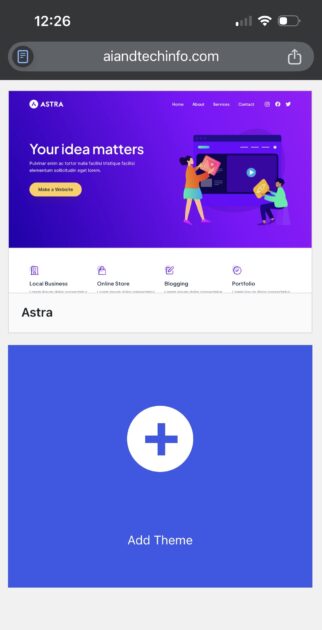
GeneratePress
GeneratePress focuses heavily on speed and minimal design. If you want a clean, distraction-free layout, this is a powerful choice.
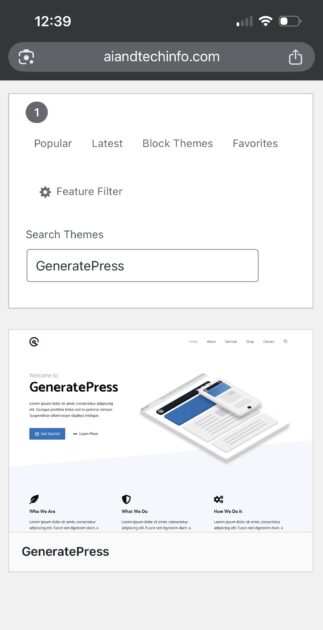
Divi
Divi offers a visual builder experience, making it ideal for those who want strong design control without advanced coding.
Regardless of the theme you choose, ensure it is responsive, customizable, and performance-optimized.
4. Adding Essential Plugins Without Overloading
Plugins expand your website’s functionality, but too many plugins can slow your site down. A premium website uses plugins strategically.
- For SEO, tools like Rank Math or Yoast SEO help optimize content and structure.
- For speed optimization, plugins such as WP Rocket or LiteSpeed Cache improve loading performance.
- For security, Wordfence provides firewall and malware protection.
The key principle is simple: install only what you truly need. Premium websites value efficiency.
5. Creating a Layout That Feels Structured and Professional
Design is not decoration. Design is communication. When someone visits your homepage, they should instantly understand what your website is about. Clear navigation, proper spacing, readable typography, and consistent color schemes create trust. Avoid clutter. Avoid too many fonts. Avoid aggressive popups. A premium website feels calm and intentional.
Your homepage should ideally include a strong hero section, featured content area, category highlights, and a structured footer with essential links like About, Contact, Privacy Policy, and Terms. White space is not emptiness — it is clarity.
6. Speed Optimization: The Hidden Premium Factor
Speed is one of the most underestimated aspects of website quality. Visitors expect pages to load within seconds. Search engines also prioritize fast websites. You can measure performance using Google PageSpeed Insights.
Focus on compressing images, enabling caching, reducing unnecessary scripts, and using a CDN if your audience is global. Converting images to WebP format and enabling lazy loading can significantly improve load times. Speed is not just technical optimization. It is user respect.
7. Content Strategy That Builds Long-Term Authority
Even the most beautiful website fails without valuable content. Premium websites focus on depth rather than quantity. Instead of publishing many short articles, create comprehensive guides that truly help readers. Write clearly, structure your content logically, and avoid unnecessary repetition.
Internal linking between related articles builds topical authority. Consistency builds trust. Over time, this approach strengthens your brand identity and improves rankings. Quality content is the real engine behind sustainable growth.
8. Monetization Without Destroying User Experience
Monetization is important, but it should never compromise user experience. If you plan to display ads, platforms like Google AdSense can generate revenue. However, placing too many ads can reduce trust and increase bounce rate.

Other monetization methods include affiliate marketing, selling digital products, sponsored content, or membership systems. A premium website balances income with usability. Users should feel value first, monetization second.
9. Long Term Maintenance aur Scaling Strategy
Building a premium website is not a one-time task. It is an ongoing process. Regular updates are essential to maintain security and performance. Themes and plugins must be updated consistently. Backups should be automated. Performance should be monitored periodically.
As traffic grows, your hosting needs may increase. You might need better caching systems or even cloud infrastructure. Scaling is not just about traffic — it is about maintaining performance during growth.
Content scaling also requires strategy. Expand within your niche instead of jumping randomly into unrelated topics. Build clusters. Strengthen authority. Premium websites evolve. They improve continuously.
Final Thoughts
Creating a premium website is about making thoughtful decisions at every stage. From domain selection to hosting, from theme choice to content strategy, every step contributes to long-term success.
If you focus on performance, clarity, structure, and user experience, your website will not just look premium — it will function like one. And that is what truly sets a professional website apart from an ordinary one.